
Custom Data#
Use source = "custom" when project-owned data should be authoritative. This
is common for production studies, teaching material, offline CI, and cases where
public providers are incomplete or too volatile.
Path resolution#
Relative path and mask_path values are resolved from the TOML file. For
typed data sections, bare filenames can also be resolved against the workspace
data/ folder and the matching data/<family>/ folder.
[data]
project_crs = "EPSG:2154"
types = ["dem", "geology", "hydrometry", "recharge"]

[[data.dem.sources]]
source = "custom"
path = "data/dem/catchment_dem.tif"
Local rasters and grids#
Custom gridded climate and hydrological inputs can be read from NetCDF or GeoTIFF files. NetCDF time dimensions are sliced to the project period when a period is available.
[data.recharge]
date_start = "2000-01-01"
date_end = "2002-12-31"

[[data.recharge.sources]]
source = "custom"
path = "data/recharge/recharge_daily.nc"
source_unit = "mm/day"
Set source_unit when the file metadata is absent, ambiguous, or not the
unit expected by HydroModPy. This is safer than compensating later in solver
parameters.
DEM custom inputs use the DEM loader and can read common raster formats used by the DEM manager:
[[data.dem.sources]]
source = "custom"
path = "data/dem/local_dem.tif"
mask_path = "data/masks/watershed.gpkg"
The expected output is the same kind of basin-support panel as for public providers: a readable DEM, a coherent watershed boundary, and no CRS surprise.

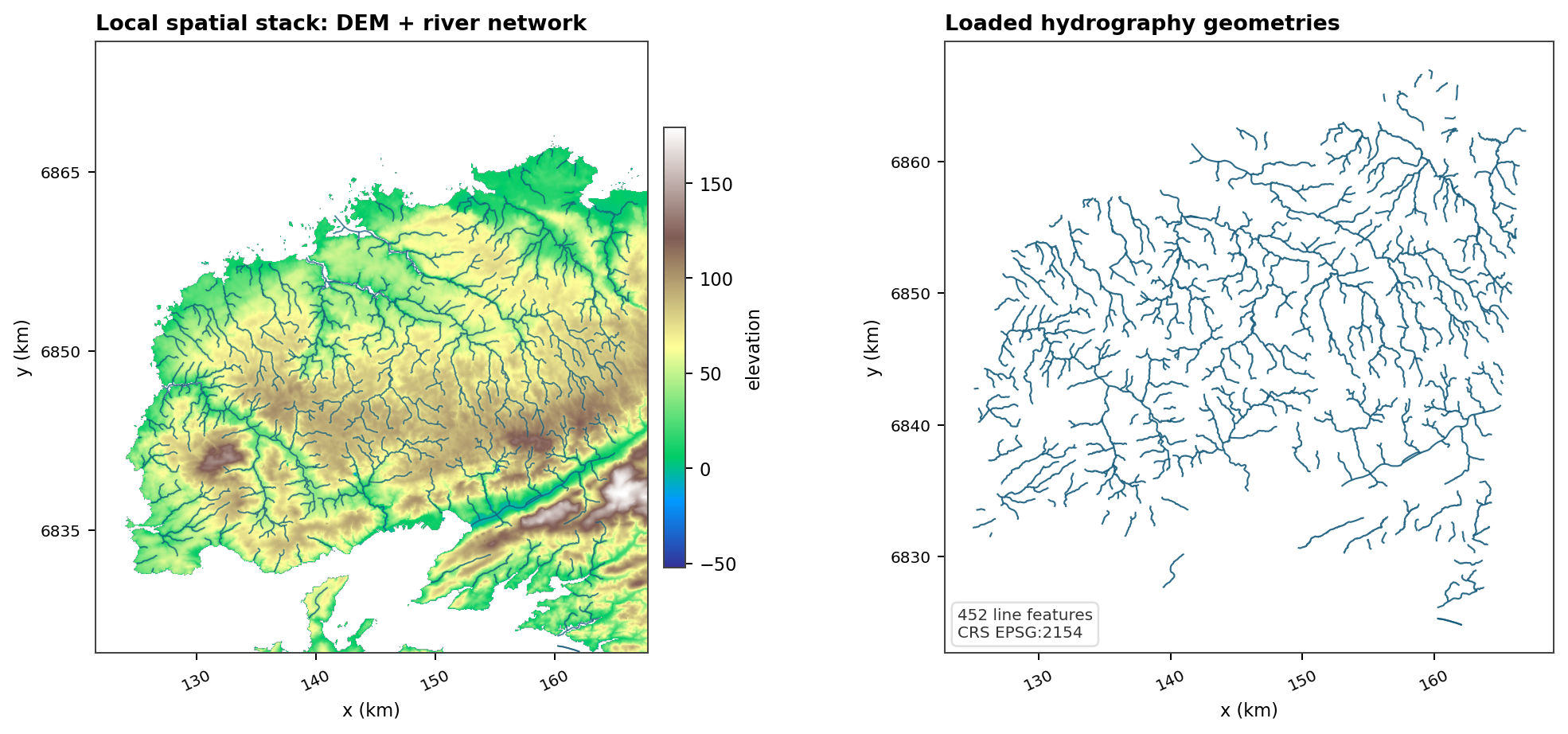
Fig. 130 The generated local example shows the same custom-data principle on a smaller support: the raster and vector layers must agree spatially before any downstream workflow trusts them.#
Local vectors#
Custom geology vectors need a field that carries the geology code:
[[data.geology.sources]]
source = "custom"
path = "data/geology/geology.gpkg"
code_field = "CODE_LEG"
values_table_path = "data/geology/hydraulic_properties.csv"
The rendered geology panel should expose both the spatial units and their
legend. The important check is that the geology code used by code_field is
still interpretable after loading, clipping, reprojection, and optional joining
with the hydraulic-property table.

Custom hydrography can point to a local river-network vector:
[[data.hydrography.sources]]
source = "custom"
path = "data/hydrography/rivers.gpkg"
rasterize_field = "FID"
For local hydrography, the visual contract is the same as for BD Topage or OSM: the loaded river layer must make sense on the basin support.

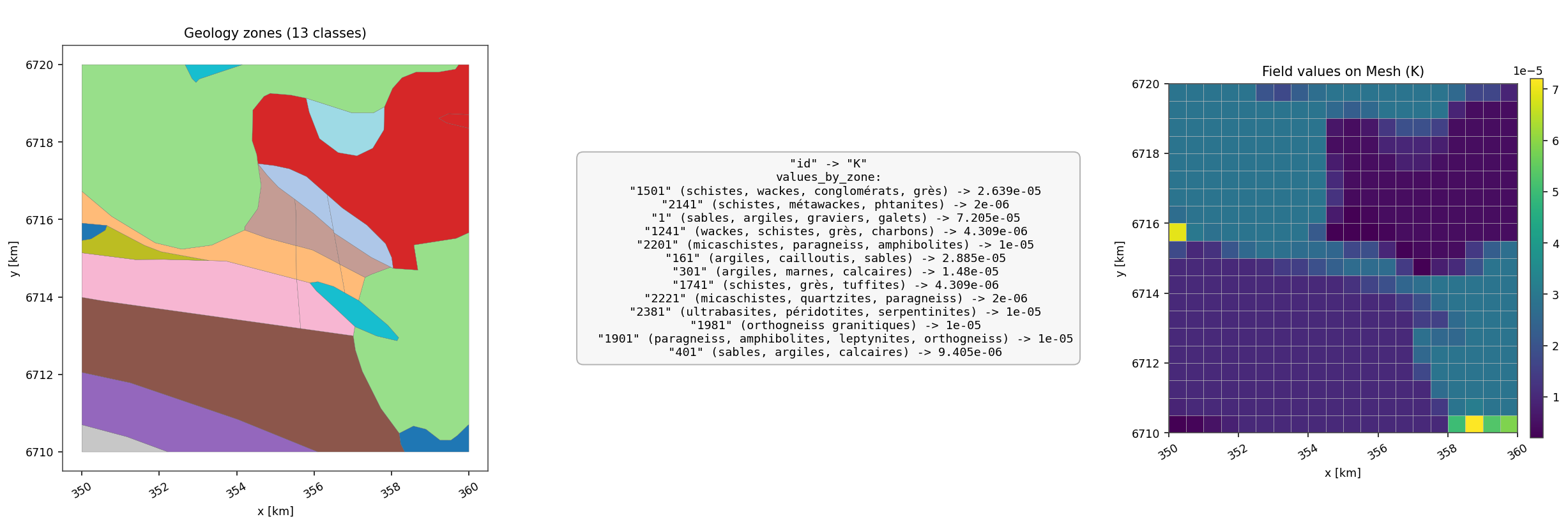
Fig. 133 Local vector data can also become model-facing parameters. Here the geology
code joins to a K table, then the result is transferred to a mesh field.#
Local point and time-series folders#
Point/time-series custom sources use a directory convention:
data/hydrometry/
|-- hydrometry_custom_LOC.csv
|-- hydrometry_custom_J1234010_20000101_20021231_D.csv
`-- hydrometry_custom_J1234020_20000101_20021231_D.csv
The location file defaults are:
Column |
Meaning |
|---|---|
|
Station identifier used to find chronicle files. |
|
Station coordinates. |
|
Optional CRS per station. |
|
Source unit for point records when the family requires unit conversion. |
Chronicle CSV defaults are datetime and value. Rename columns in TOML
instead of reshaping source files:
[data.hydrometry]
date_start = "2000-01-01"
date_end = "2002-12-31"

[[data.hydrometry.sources]]
source = "custom"
path = "data/hydrometry"
col_id = "station"
col_x = "lon"
col_y = "lat"
default_crs = "EPSG:4326"
col_datetime = "date"
col_value = "Q"
station_ids = ["J1234010"]
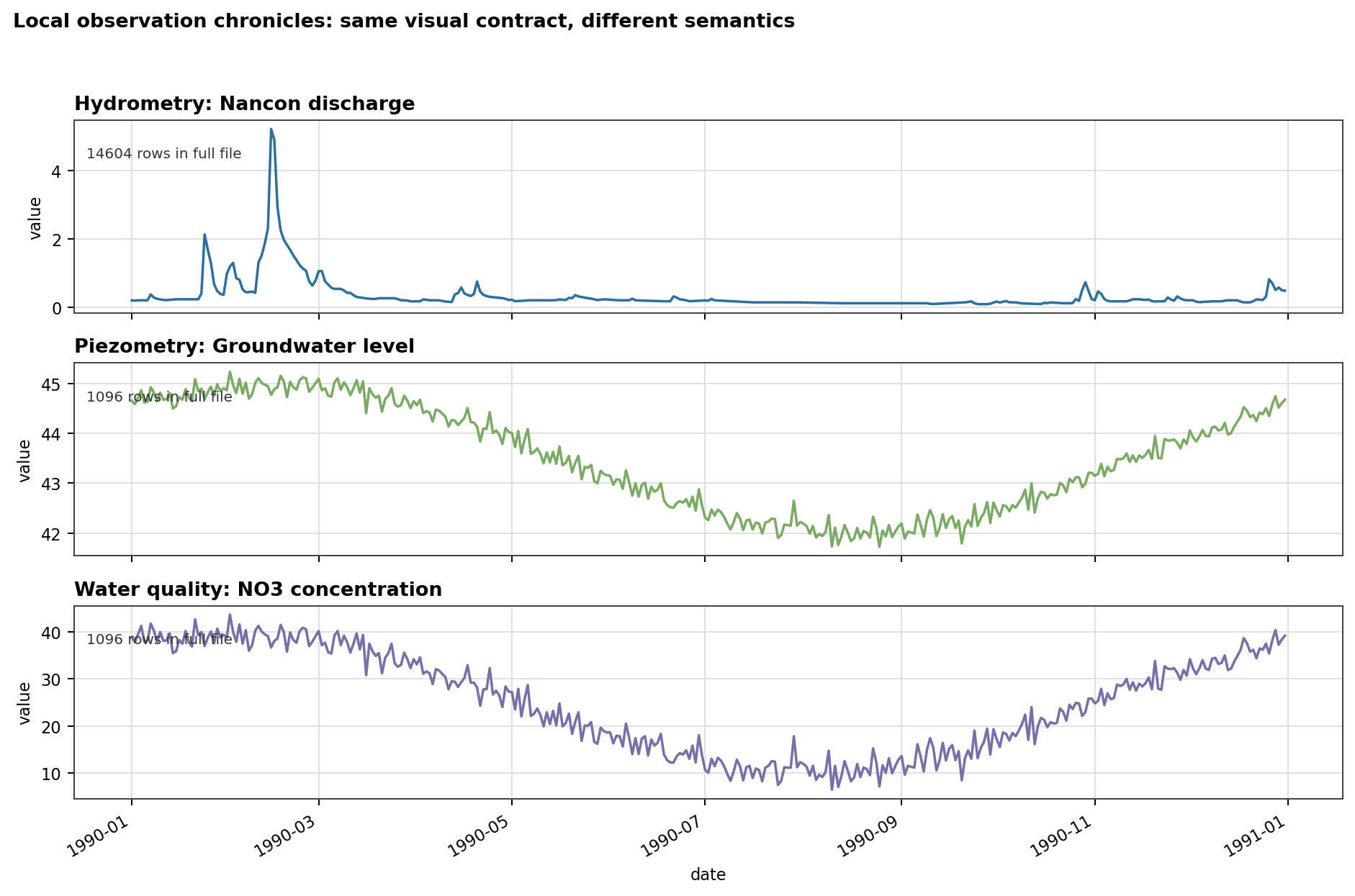
Fig. 134 The same directory convention can carry discharge, groundwater level, or chemistry. The chronicle figure is where units, gaps, and temporal coverage become visible.#
The overview panels should then show both the selected stations and the chronicles that were actually ingested.

Controlled sources#
Some sources are local by design even when they do not read a file.
[data.oceanic]
date_start = "2020-01-01"
date_end = "2020-12-31"

[[data.oceanic.sources]]
source = "constant"
value = 0.0

[data.recharge]
date_start = "2020-01-01"
date_end = "2020-01-31"

[[data.recharge.sources]]
source = "synthetic"
values = [0.8, 1.2, 0.6]
Use constants and synthetic forcing for tests, tutorials, and controlled diagnostics. Use custom files when the goal is to reproduce a production data set.